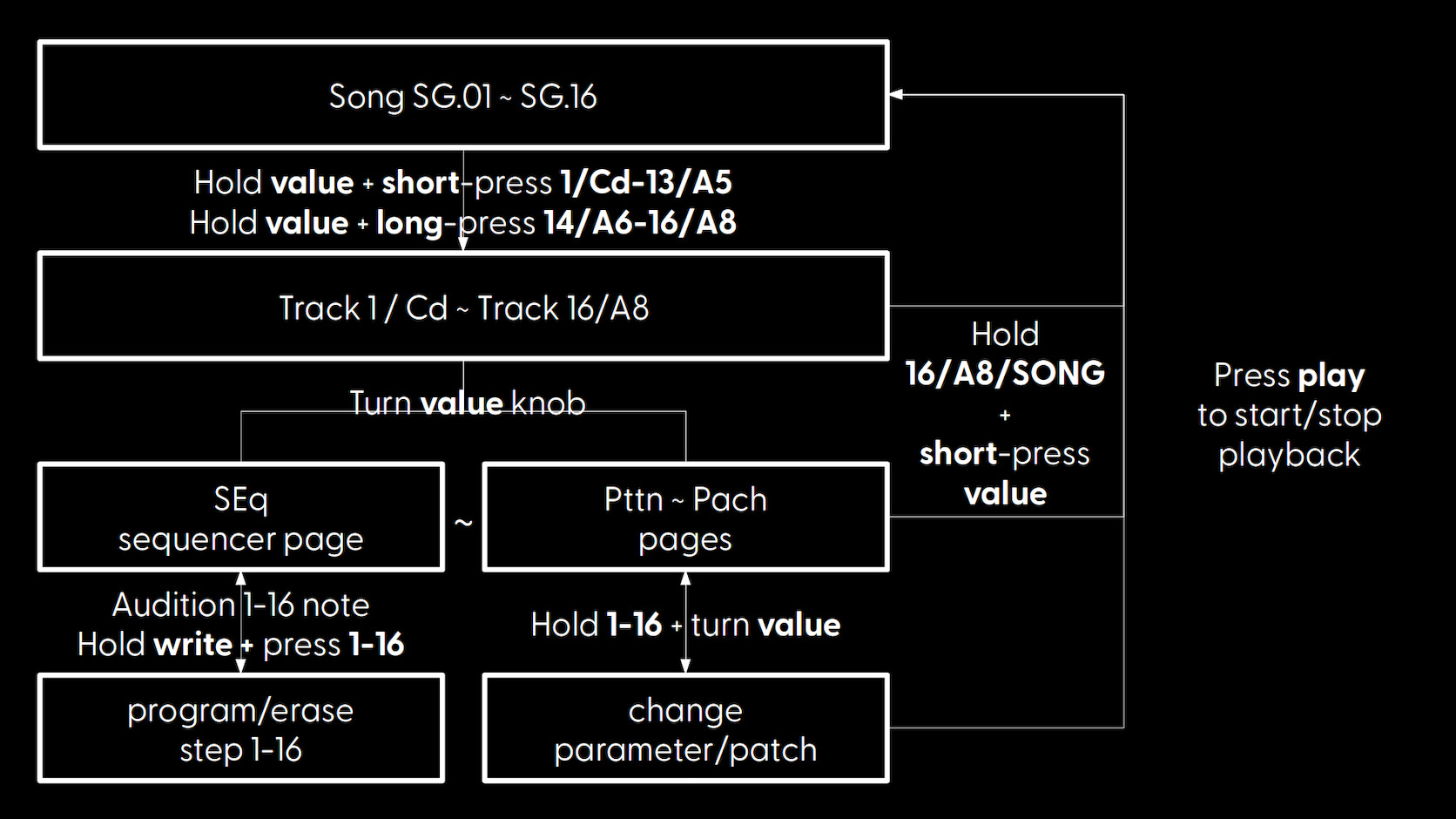
Generally, a workflow will look like;
Once you are happy with a couple of individual patterns on their individual tracks, you should ideally move to creating full songs out of them as soon as possible. This is done by creating mixing and matching track patterns in song "fragments" in song mode (alternatively you can create "scenes" out of them in live mode for live performances). Getting to grips with Song mode in particular, is key to getting the most out of your Woovebox.
Finally, you can export any songs (but not individual patterns) you made as .WAV audio files and .MID MIDI files via Wooveconnect.
Refer to the quick start tutorial for a super quick introduction to making your first song. Again, even if you are intimately familiar with grooveboxes already, it is highly recommended to go through the tutorial at least once.