Turn on your Woovebox without touching the write or play touch buttons (as their sensitivity is calibrated during boot).
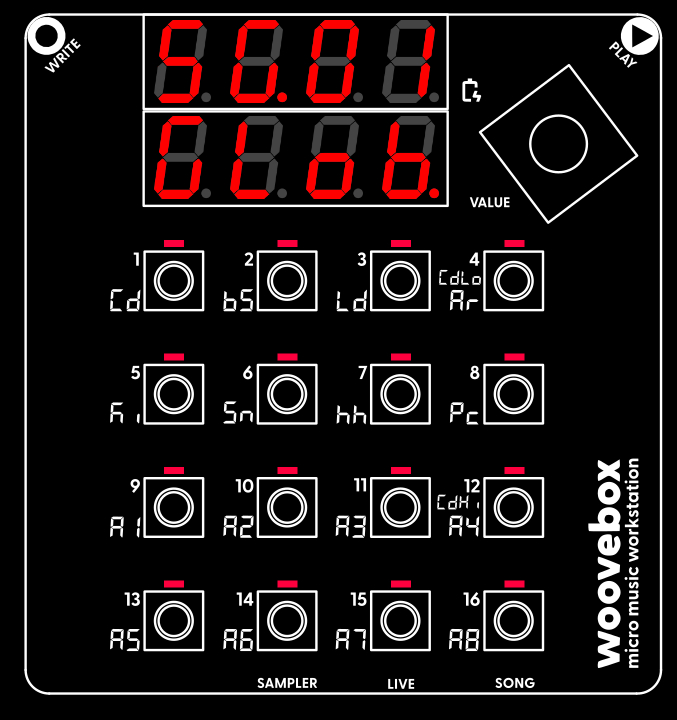
Once your Woovebox has booted up, you will be dropped into Song ("SG") mode.
The song number you last worked on, is automatically restored ("SG.01" through "SG.16"). The chord (Cd) track will play a chord/chime, to let you know boot up has completed. This chime also gives you an audible identifier of the song that is loaded (as you may recognize the timbre of the instrument).
Note that, when you switch away from Song mode, you can return to Song mode at any time, by holding the value button down and then short-pressing ("short-pressing" meaning, holding down for less than one second) 16/A8/SONG.
If you accidentally scrolled past the "GLob", "MStr" or "FX" pages and the display reads "Fr.xx" (fragment number xx) or "DJ.xx" (DJ FX for fragment xx), you can use the value knob (turn left) to scroll back to the "SG.xx" "GLob"/"MStr"/"FX" pages.