
Layer: Versatile Pixel Workbench
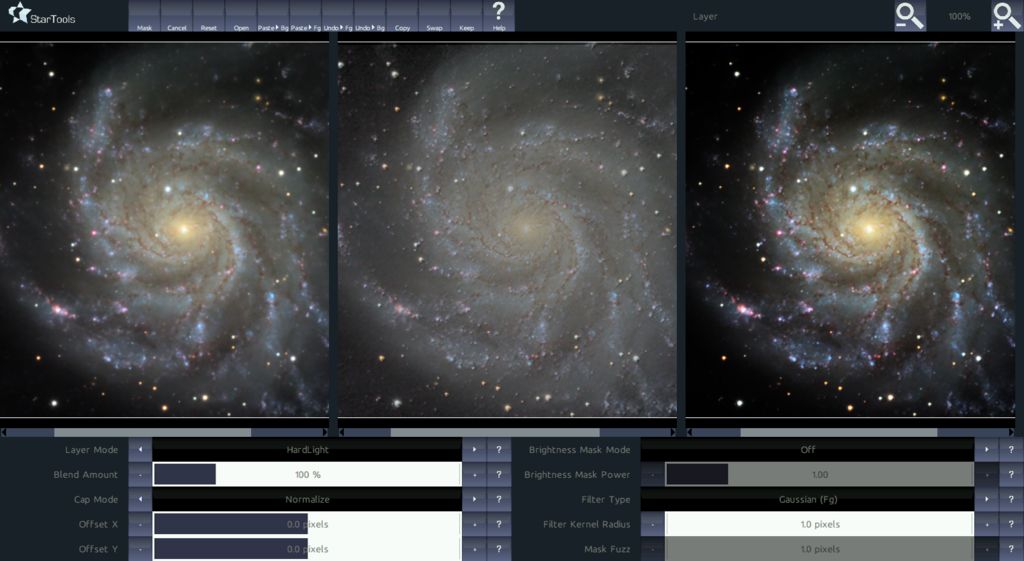
The Layer module is an extremely flexible pixel workbench for advanced image manipulation and pixel math, complementing StarTools' other modules.
It was created to provide you with a nearly unlimited arsenal of implicit functionality by combining, chaining and modulating different versions of the same image in new ways.
Features like selective layering, automated luminance masking, a vast array of filters (including Gaussian, Median, Mean of Median, Offset, Fractional Differentation and many, many more) allow you to emulate complex algorithms such as SMI (Screen Mask Invert), PIP (Power of Inverse Pixels), star rounding, halo reduction, chromatic aberration removal, HDR integration, local histogram optimization or equalization, many types of noise reduction algorithms and much, much more.
You may also be interested in...
- Masks (under Features & Documentation)
If you just loaded an image, all pixels in the whole image will be set in the mask, so every pixel will be processed by default.
- Usage (under Bin)
By pooling 4 pixels, the final resolution is also reduced by a factor of 4.
- Inter-channel Entropy-driven Detail Enhancement (under Features & Documentation)
The Entropy module is a novel module that enhances detail in your image, using latent detail cues in the color information of your dataset.
- White balancing in MaxRGB mode (under How to determine a good color balance)
If we see large areas of green, we know that we have too much green in our image and we should adjust the bias accordingly.
- The ethics of using masks and selective processing (under Usage)
In some modules in StarTools specifically, masks are used for the purpose of selective sampling to create internal parameters for an operation that is applied globally to all pixels.